Technology & Internet
Why Does My Internet Speed Slow Down at Night?
Unplug the Bottlenecks, Upgrade Your Experience
## Why Does My Internet Speed Slow Down at Night?
### Understanding the Frustration
There is a specific type of frustration reserved for modern digital lives: the sudden realization that your internet connection has transformed overnight. You finish work at 5 PM, settle down to enjoy some leisure time, and attempt to stream your favorite show or play an online game, only to encounter buffering wheels, pixelated video, or disconnection errors. It seems like the digital highway has turned into a traffic jam precisely when everyone else has decided to take the same exit.
This phenomenon is so widespread that it almost feels like a nightly ritual. Whether you are gaming in real-time, participating in a Zoom conference, or simply browsing social media, the performance degrades noticeably after sunset. While it may feel personal—that your service provider isn't treating you fairly—the reality involves complex interactions between infrastructure, demand, physics, and corporate policies. The goal of this comprehensive guide is to peel back the layers of this mystery. We will analyze the root causes of nighttime speed drops and provide actionable solutions to help you regain control of your connection.
## Understanding Shared Neighborhood Bandwidth
### The Communal Road Analogy
To understand why speeds fluctuate, we must first understand how residential internet is delivered in many regions, particularly where cable internet is prevalent. Think of the internet not as a private driveway leading to your home, but as a neighborhood road system. In many residential areas, a single node or hub serves multiple households simultaneously. This is known as a shared network topology.
Your Internet Service Provider (ISP) delivers a signal to a distribution amplifier, which splits the bandwidth among hundreds of users in your immediate vicinity. During the early morning hours, between 3 AM and 6 AM, most neighbors are asleep. The traffic volume on the node is minimal. Consequently, your household gets access to nearly the maximum capacity available on that line. This is why speed tests taken late at night often result in peak theoretical numbers.
However, once the sun sets, the scenario changes dramatically. Families return home, students connect their devices for homework or streaming, and entertainment consumption spikes. Everyone attempts to use the "road" at the same time. Since the total bandwidth allocated to the node is finite, the more users who log on simultaneously, the more the available slice of bandwidth shrinks for each individual user. This is known as network congestion. Even if you pay for a Gigabit connection, you cannot receive that speed if the pipe feeding your street is currently clogged with traffic from thousands of other subscribers. The technology allows ISPs to oversell bandwidth because they calculate average usage over time rather than guaranteeing simultaneous peak availability for all customers.
### Fiber vs. Cable Infrastructure Differences
It is important to note the distinction between copper-coaxial cables (DOCSIS) and Fiber-to-the-Home (FTTH). Cable networks have a higher tendency towards congestion due to their shared node architecture. As you increase your speed tier on a cable plan, the likelihood of sharing increases. Conversely, fiber optics often utilize point-to-point connections or have higher capacity backbones. While fiber reduces the impact of local congestion significantly, it is not immune. If the backbone connecting your area to the wider internet (the upstream connection) reaches saturation during peak times, even fiber users can experience slowdowns.
Furthermore, the distance from your home to the node matters. In older coaxial infrastructures, signal degradation over distance compounds the congestion issues. If your neighborhood was wired decades ago before bandwidth demands were anticipated, the infrastructure simply cannot handle the aggregate load of a fully connected smart-home environment at night. Upgrading infrastructure is a costly endeavor for ISPs, meaning neighborhoods often face years of waiting lists for improvements, leaving current residents vulnerable to nightly slowdowns.
## ISP Traffic Prioritization Strategies
### The Concept of Network Management
Beyond simple congestion, another significant factor contributing to slow speeds is Internet Service Provider traffic management. Often referred to as "traffic shaping" or "throttling," this is a deliberate strategy employed by ISPs to manage network health. When an ISP notices that a specific part of their network is overwhelmed, they may implement policies to reduce the speed of certain types of traffic to prevent the entire network from collapsing.
During peak evening hours, which generally span from 6 PM to midnight, ISPs know that data consumption is highest. If a user is downloading large files, running server backups, or streaming high-definition video for multiple devices, the ISP might identify this as heavy usage. To protect the stability of the network for the majority of users, they may cap the bandwidth for high-usage accounts or throttle specific protocols like BitTorrent or streaming services.
### Explicit Fair Usage Policies
Some ISPs explicitly state this in their terms of service under "Fair Usage Policy" (FUP). These policies warn subscribers that while a speed limit exists, the provider retains the right to adjust speeds during periods of extreme network demand. This is technically legal in many jurisdictions, though regulations vary by country.
For example, if you are subscribed to a "streaming optimized" package, the ISP might deprioritize your connection relative to business customers or premium tiers during peak times. This means that even if the physical lines aren't congested, your packets are being placed in a lower priority queue. Your browser requests still go through, but they wait longer for permission to send data compared to other users on a standard tier. This results in higher ping times and apparent sluggishness, making web browsing feel slower even if your download speed test remains normal when run in isolation.
### Hidden Agreements and Peering Issues
Sometimes, the slowdown isn't just about your neighborhood. It could be a peering issue. ISPs interconnect with other networks to exchange traffic. If your ISP has a strained relationship with a major content delivery network (like Netflix, YouTube, or Google), the handoff point between the two companies might become congested during the day and especially at night. When you request a video, your ISP has to route that data across multiple hubs. If those hubs are clogged or poorly configured, you experience latency regardless of your own local connection strength. This is a systemic bottleneck that requires intervention from the ISP to resolve, as it lies outside the customer's premises entirely.
## Local Device Competition and Usage Patterns
### The Smart Home Burden
Even if your external connection is perfect, the internal bottlenecks within your home are frequently the culprit. Twenty years ago, a household had perhaps one PC and a TV. Today, the "Smart Home" is a reality. Every device counts toward your network load. Smart refrigerators, thermostats, security cameras, voice assistants, tablets, smartphones, and laptops are all constantly communicating.
During the day, most of these devices sit idle. At night, they begin reporting status updates, syncing cloud photos, checking for firmware updates, and streaming audio. If you have four wireless security cameras recording 4K footage at night, they alone can consume a significant portion of your upload bandwidth. This upload capacity is then required for any bidirectional communication on your network. If your upload channel is maxed out by smart devices, your downloads appear to stall because the TCP acknowledgments cannot get through quickly enough.
### Prime Time Entertainment Behaviors
User behavior plays a massive role in perceived speed. Evening hours coincide with prime viewing time. If one family member is watching a movie in 4K resolution on the television, another is playing an online game like Call of Duty or Fortnite, and a third is downloading a 50GB game update to Steam or Epic Games, your internal Local Area Network (LAN) becomes saturated.
Streaming 4K video requires a consistent throughput of roughly 25 Mbps per stream. Online gaming requires low latency rather than high bandwidth, but the combination is fatal for older routers. A single 4K stream uses 25 Mbps. Two streams equal 50 Mbps. Add a gaming console needing stable packet routing, and you are approaching the limits of many mid-tier routers, even if your internet plan is 500 Mbps. The router acts as the gatekeeper; if it processes too many requests simultaneously, it introduces delay.
### The Ghost of Automatic Updates
We must also consider the invisible workload: automatic updates. Operating systems (Windows, macOS, iOS) and applications are designed to download updates when the computer is idle. However, "idle" is subjective. Many systems schedule heavy background tasks for the evening when the screen saver activates. An OS update occurring at 8 PM while you are trying to browse the web can hog up to 90% of your available bandwidth for several minutes until completion. Similarly, cloud backup services like Google Drive, Dropbox, or iCloud Photos often sync libraries at night, uploading and downloading data without asking for permission. Diagnosing these hidden consumers requires monitoring network activity specifically in the Task Manager (Windows) or Activity Monitor (Mac).
## Hardware Limitations and Environmental Factors
### Thermal Throttling of Routers
Routers are essentially small computers with specialized antennae. They generate heat. Over extended periods of operation, particularly during the summer months or if placed in enclosed spaces, routers can overheat. High temperatures cause electronic components to degrade and perform less efficiently. Some routers have built-in thermal throttling mechanisms that intentionally slow down processing speeds to cool the device and prevent hardware damage.
If your router has been running non-stop for weeks without a reboot, heat buildup can physically limit its capability to handle multiple connections at night when the load is highest. A quick restart clears the memory and cools the unit, often restoring speed temporarily. However, if the device is failing thermally, it indicates the hardware is aging or unsuitable for the volume of traffic it must handle. Older routers lack the processing power (CPU) and RAM to manage modern encryption standards (WPA3) and Quality of Service (QoS) rules effectively.
### Wireless Interference and Neighbor Networks
Wireless signals operate on specific frequencies, primarily 2.4 GHz and 5 GHz. The 2.4 GHz band is ancient and crowded. Because it penetrates walls well and has a wide range, it attracts interference from neighbors' Wi-Fi networks, baby monitors, Bluetooth devices, microwaves, and cordless phones.
At night, people open windows or turn on lights, but the most significant factor is the sheer number of competing Wi-Fi signals. If you live in an apartment complex or a dense suburb, your Wi-Fi might be fighting for airtime against dozens of other access points. This creates a chaotic environment known as "interference." The noise floor rises, and your router must retry sending data packets that collide with neighbors' packets. This leads to packet loss and retransmissions, drastically lowering effective speed.
Moving to the 5 GHz or 6 GHz bands (Wi-Fi 6E/7) is often a solution, as these bands have more channels and less congestion. However, they do not penetrate walls as well, limiting range. Additionally, if your neighbor turns on a powerful Wi-Fi extender at night, it can create a temporary spike in interference that disrupts your connection for hours until they shut it down. This environmental unpredictability makes wired Ethernet connections the only truly reliable method for consistent nighttime speeds.
### Outdated Equipment Standards
Technology standards evolve. Your internet plan might promise 1 Gbps, but if your router supports only 802.11n (Wi-Fi 4), you are physically incapable of utilizing more than roughly 300 Mbps wirelessly. Even worse, older equipment struggles with the efficiency requirements of modern OFDMA technologies used in Wi-Fi 6. If your modem is outdated—say, a DOCSIS 3.0 model supporting only 100 Mbps—you will be capped regardless of your plan. Upgrading to DOCSIS 3.1 modems and Wi-Fi 6 routers is often the missing link in achieving advertised speeds during peak loads.
## Summary and Troubleshooting Recommendations
### Recap of Key Factors
In conclusion, experiencing slower internet speeds at night is rarely due to a single failure. It is usually a convergence of factors: regional network congestion due to shared bandwidth limits, ISP traffic prioritization strategies that deprioritize peak-hour users, local device competition from smart homes and entertainment systems, and hardware limitations exacerbated by heat or wireless interference. Recognizing that the problem is multifaceted is the first step toward finding a solution.
### Actionable Steps for Optimization
Fortunately, there are several steps you can take to mitigate these slowdowns and improve your user experience:
**1. Run Diagnostics at Peak Times:**
Do not trust speed tests done during the day. Perform a Speedtest.net or Fast.com test between 8 PM and 10 PM when you notice the slowness. Record the results and save the screenshots. This provides concrete evidence if you need to contact support.
**2. Schedule Heavy Downloads:**
Utilize the power of automation. Configure your torrent clients, game launchers (Steam, Epic, Blizzard), and cloud backup software to pause automatic downloads between 7 PM and 8 AM. Many applications allow you to set "Quiet Hours" where no traffic is allowed. This preserves bandwidth for active usage during the evening.
**3. Upgrade Your Hardware:**
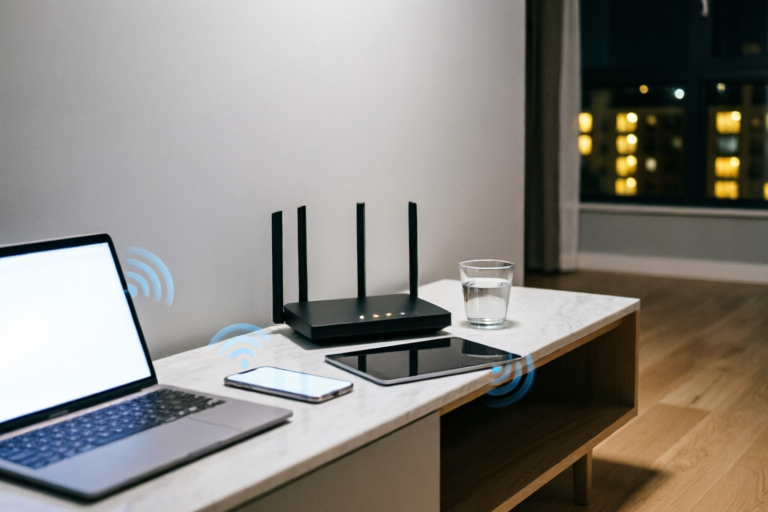
Audit your equipment. Is your modem compatible with your speed tier (e.g., DOCSIS 3.1)? Is your router old? Consider upgrading to a mesh Wi-Fi system or a standalone router that supports Wi-Fi 6 (802.11ax). Place the router centrally, elevated, and away from heat sources or thick metal objects. Hard-wire stationary devices like consoles and desktop PCs via Ethernet cable to remove wireless congestion entirely.
**4. Enable Quality of Service (QoS):**
Access your router’s admin panel and enable QoS settings. This allows you to prioritize specific traffic types. For example, prioritize video conferencing or online gaming over general web browsing or file downloads. This ensures that your activities remain smooth even if the total bandwidth is shared.
**5. Change Wi-Fi Channels:**
Use apps like WiFi Analyzer to see which channels your neighbors are using. Switch your router’s 2.4 GHz channel to 1, 6, or 11 (the non-overlapping ones). For 5 GHz, choose a channel with the least activity. This reduces interference from neighboring networks.
**6. Contact Your ISP:**
If you have optimized your home network and speed tests still fail to meet contract specifications during peak hours, contact your ISP. Present your logs and screenshots. Ask if your area is undergoing maintenance or if there is a node capacity issue. Sometimes, simply requesting a technician to refresh the line or upgrade the node assignment resolves the issue.
### Future Outlook
As technology advances, we move toward Symmetric Fiber and eventually satellite internet constellations like Starlink. These systems offer better resilience against local congestion by distributing load differently. However, until that infrastructure is universal, understanding the dynamics of your connection empowers you to manage expectations and optimize your setup. By taking proactive steps, you can turn a frustrating nighttime slowdown into a manageable anomaly, ensuring your digital life remains seamless around the clock.
The internet should be a reliable utility, not a variable lottery. Armed with the knowledge of shared nodes, ISP policies, and hardware constraints, you are now equipped to diagnose the root cause of your lag and implement fixes that bring your internet speed back to where it belongs—at peak performance.
Comments

QuickFixer
Great read! Now I know I should stop streaming at 8pm...
👍 13👎 0

OpticFiberFan
This is exactly why I went with fiber. Cable lines are just so congested at peak hours.
👍 26👎 0
BusyMom
We have a toddler and teenager... evenings are chaos. Definitely feels like the whole house hits max bandwidth.
👍 14👎 0

NewbieNet
Does upgrading my router really help if the problem is outside my house?
👍 27👎 0

DataSaver99
So basically we're paying for speed we can't use half the time? Feels sketchy tbh.
👍 20👎 0

PixelPusher
Yeah honestly, trying to game while my roommate watches 4k is impossible. Glad to know it’s not just me.
👍 6👎 0