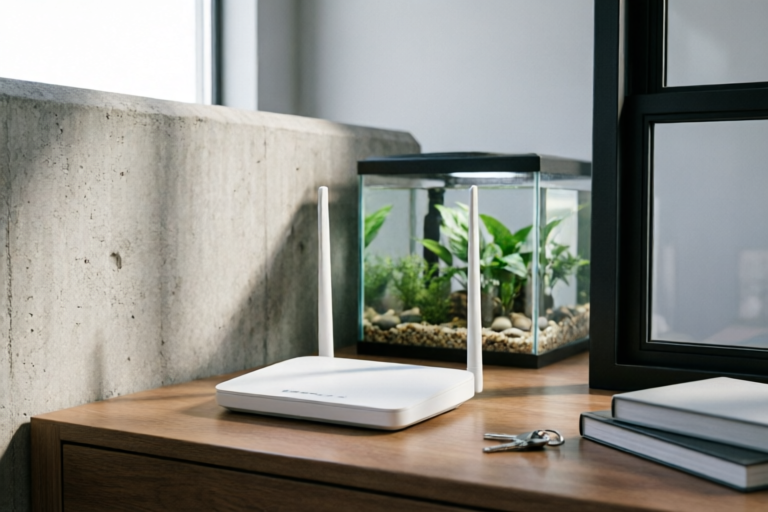
Why Does Wi-Fi Signal Get Weaker in Some Rooms?
Enhance Your Wi-Fi Experience with These Proven Solutions
Introduction to Wi-Fi Signal Strength Issues
Wi-Fi has become an indispensable part of our daily lives, providing seamless internet access for various devices. However, many users face frustrating issues with inconsistent Wi-Fi signal strength across different rooms in their homes or offices. Understanding the factors that affect Wi-Fi signal strength is crucial for ensuring a reliable and efficient network.
Overview of Common Wi-Fi Connectivity Problems
Common Wi-Fi connectivity issues include slow speeds, frequent disconnections, and poor signal strength in certain areas. These problems can be particularly noticeable in larger spaces where the router is located far away from the devices being used. Addressing these issues requires identifying the underlying causes and implementing appropriate solutions.
Importance of Understanding Signal Strength Variations
Understanding why Wi-Fi signal strength varies within a home or office is essential for maintaining optimal network performance. By identifying the factors that contribute to weaker signals in specific areas, users can take proactive measures to improve their overall Wi-Fi experience.
Physical Barriers Affecting Wi-Fi Signals
One of the primary reasons for weak Wi-Fi signals in some rooms is the presence of physical barriers such as walls, floors, and furniture. These obstacles can significantly reduce the strength of the Wi-Fi signal as it travels through them.
Explanation of How Walls, Floors, and Furniture Obstruct Signals
Walls made of materials like concrete, brick, and metal are particularly effective at blocking Wi-Fi signals. Floors, especially those made of thick materials like wood or carpet, can also weaken the signal. Additionally, large pieces of furniture, particularly those containing metal components, can further impede the transmission of Wi-Fi signals.
Impact of Building Materials on Signal Penetration
Different building materials have varying levels of signal penetration. For instance, concrete and metal structures are more likely to block Wi-Fi signals compared to drywall or wood. Understanding the composition of your building can help you anticipate where signal strength might be compromised.
Interference from Other Devices and Networks
Another significant factor contributing to weak Wi-Fi signals is interference from other electronic devices and networks. Various wireless technologies operating on similar frequencies can cause interference, leading to reduced Wi-Fi performance.
Discussion on Interference Caused by Bluetooth Devices, Cordless Phones, and Other Wireless Networks
Bluetooth devices, cordless phones, and other wireless networks can interfere with Wi-Fi signals due to their use of similar frequency ranges. This interference can result in slower connection speeds and dropped connections, especially in areas where multiple devices are active simultaneously.
Tips for Minimizing Interference Through Proper Device Placement
To minimize interference, it's important to place Wi-Fi routers and other wireless devices strategically. Avoid placing the router near sources of interference, such as microwaves, baby monitors, and cordless phones. Additionally, consider using dual-band routers to separate Wi-Fi traffic from other wireless devices.
Distance from the Router: The Role of Propagation Loss
The distance between your device and the Wi-Fi router plays a critical role in determining signal strength. As the distance increases, the signal strength decreases according to the inverse-square law, which states that the intensity of a signal is inversely proportional to the square of the distance from its source.
Explanation of How Distance Affects Signal Strength Using the Inverse-Square Law
According to the inverse-square law, doubling the distance between the router and a device results in a fourfold reduction in signal strength. This principle underscores the importance of proximity when setting up your Wi-Fi network. To ensure strong signals throughout your space, place the router in a central location or consider using range extenders or mesh systems.
Suggestions for Optimal Router Placement to Improve Coverage
For optimal coverage, position the router in a central area of your home or office, ideally elevated off the ground. Avoid placing it near obstructions like walls or large appliances. If necessary, use range extenders or mesh systems to expand coverage to harder-to-reach areas.
Environmental Factors Influencing Wi-Fi Performance
In addition to physical barriers and interference, environmental conditions can also affect Wi-Fi performance. Temperature, humidity, and electromagnetic fields are just a few examples of environmental factors that can influence signal quality.
Examination of Environmental Conditions Such as Temperature and Humidity
Extreme temperatures and high humidity levels can degrade the performance of Wi-Fi routers and other wireless devices. It's important to maintain a stable environment for optimal network performance. Ensure that the router is placed in a cool, dry location away from direct sunlight or moisture.
How Electromagnetic Fields Can Impact Signal Quality
Electromagnetic fields generated by electrical appliances and other devices can interfere with Wi-Fi signals. To mitigate this, avoid placing the router near major power sources or large electronic equipment. Additionally, consider using shielded cables to protect against interference from nearby electronics.
Conclusion and Solutions for Strengthening Wi-Fi Signals
Understanding the factors that contribute to weak Wi-Fi signals in certain rooms is the first step toward improving your network performance. By addressing physical barriers, minimizing interference, optimizing router placement, and considering environmental factors, you can significantly enhance your Wi-Fi experience.
Summary of Key Points Discussed in the Article
This article explored the various reasons why Wi-Fi signals may weaken in certain rooms, including physical barriers, interference from other devices, distance from the router, and environmental factors. Each of these elements plays a role in determining the overall strength and reliability of your Wi-Fi network.
Practical Steps Users Can Take to Enhance Their Wi-Fi Performance in Weaker Areas
To strengthen Wi-Fi signals in weaker areas, consider the following practical steps:
- Position the router in a central, elevated location away from obstructions.
- Use range extenders or mesh systems to expand coverage to hard-to-reach areas.
- Avoid placing the router near sources of interference, such as microwaves and cordless phones.
- Maintain a stable environment with moderate temperature and humidity levels.
- Consider upgrading to a dual-band router to separate Wi-Fi traffic from other wireless devices.
Comments

Just got a Wi-Fi extender and it's working wonders. Less interference now!
Makes sense now. I always wondered why my signal drops when I move around the house.

I've been struggling with slow Wi-Fi in my home office. Maybe I need to check the temperature and humidity too.

Good to know Bluetooth devices can interfere. I'll try moving my speaker away from the router.
Interesting point about electromagnetic fields. I live near power lines, could that be affecting my Wi-Fi too?

I moved my router closer to the middle of my house and it made a huge difference. Thanks for the tip about distance!

This explains why my Wi-Fi is great in one room but terrible in another. I always thought it was just bad luck.

Wow, never knew walls and building materials could affect Wi-Fi so much! My apartment has thick concrete walls, no wonder my signal is weak.