Why Do Wi-Fi Signals Sometimes Drop Inconsistent?
Stable Wi-Fi, Seamless Connectivity
Introduction to Wi-Fi Signal Drops
Definition of Inconsistent Wi-Fi Signal Drops: Wi-Fi signal drops occur when the internet connection becomes unstable or intermittent. These drops can be frustrating, especially during important activities like video calls, streaming, or gaming. Understanding why these inconsistencies happen is crucial for effective troubleshooting and improving overall connectivity.
Common Scenarios: Many users experience Wi-Fi signal drops in various situations. For example, you might notice a sudden loss of connection while moving around the house, or during peak hours when many devices are connected. Additionally, certain areas within your home may have weaker signals than others, leading to inconsistent performance.
Importance of Understanding Causes: Knowing the root cause of your Wi-Fi issues can help you address them more effectively. Whether it's adjusting your router's position, updating firmware, or upgrading your hardware, taking proactive steps can significantly enhance your online experience.
Environmental Factors Affecting Wi-Fi Signals
Physical Obstructions
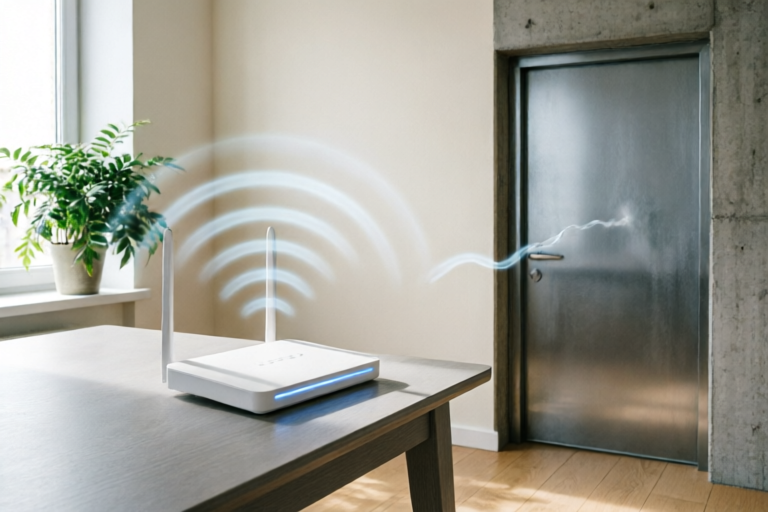
One of the most common reasons for weak Wi-Fi signals is physical obstructions. Walls, furniture, and even appliances can interfere with the transmission of radio waves. Materials like concrete, metal, and glass are particularly problematic, as they absorb or reflect signals. To minimize this issue, try positioning your router in a central location away from these obstacles.
Distance from the Router
The farther you are from your router, the weaker your Wi-Fi signal will be. This is because the strength of the signal decreases exponentially over distance. If you're experiencing frequent drops in signal strength, consider relocating your router to a more central spot in your home or using Wi-Fi extenders to boost coverage.
Interference from Other Electronic Devices
Other electronic devices operating on the same frequency bands as Wi-Fi can cause interference. Common culprits include cordless phones, microwaves, baby monitors, and even Bluetooth devices. To reduce interference, try changing the Wi-Fi channel on your router to one that is less crowded or avoid using multiple devices simultaneously on the same band.
Router and Hardware Limitations
Age and Quality of the Router Hardware
An old or low-quality router may not be able to handle modern demands for speed and reliability. Over time, routers can become outdated, especially if they don't support newer wireless standards like 802.11ax (Wi-Fi 6). Upgrading to a more recent model can provide better performance and range.
Number of Connected Devices
The number of devices connected to your network can also affect Wi-Fi performance. Each device consumes bandwidth, so having too many active connections can lead to slowdowns and dropped signals. Limiting the number of simultaneous users or upgrading to a router with higher capacity can alleviate this problem.
Wireless Standards
Different versions of Wi-Fi technology offer varying levels of performance. Older standards like 802.11g and 802.11n may not be sufficient for today's high-bandwidth applications. Newer standards such as 802.11ac and 802.11ax (Wi-Fi 6) provide faster speeds and better efficiency, making them ideal for homes with multiple devices and demanding applications.
Software and Configuration Issues
Firmware Updates
Maintaining up-to-date firmware on your router is essential for optimal performance. Manufacturers frequently release updates that fix bugs, improve security, and enhance features. Check your router’s manufacturer website regularly for available updates and follow the instructions to install them.
Misconfigured Settings
Incorrectly configured settings can also lead to inconsistent Wi-Fi signals. Common issues include overlapping channels, improper security protocols, or incorrect SSID settings. Use tools like Wi-Fi analyzers to diagnose and correct any misconfigurations. Ensuring that your router is set to the best possible configuration can greatly improve your connection.
Network Congestion
High user activity or large file transfers can congest your network, causing delays and dropped connections. During peak hours, many devices may be trying to access the internet simultaneously, overwhelming the available bandwidth. Implementing Quality of Service (QoS) settings can prioritize critical applications and ensure smoother performance.
External Interference and Network Overload
Neighboring Networks
Your Wi-Fi signal can also be affected by neighboring networks. If you live in an area with dense wireless coverage, nearby routers may interfere with your own. Changing the channel on your router to one that is less crowded can mitigate this issue. Additionally, using a dual-band router that operates on both 2.4GHz and 5GHz frequencies can help avoid conflicts.
ISP Limitations
Sometimes, the issue isn't with your local network but with your Internet Service Provider (ISP). ISPs often have bandwidth caps or throttling policies that can limit your speed during peak usage times. Contacting your ISP to discuss potential upgrades or troubleshooting options may be necessary.
During peak usage times, such as evenings when everyone in your household is online, your network may become overloaded. This can result in slower speeds and more frequent drops. To manage this, consider implementing time-based QoS settings or upgrading your plan to accommodate higher traffic.
Summary and Solutions for Consistent Wi-Fi Performance
Recap of Key Points: Inconsistent Wi-Fi signals can be caused by a variety of factors, including environmental obstructions, outdated hardware, misconfigured settings, and external interference. By addressing these issues through proper placement, regular maintenance, and smart configurations, you can achieve more reliable and consistent connectivity.
Practical Tips: Here are some practical steps you can take to diagnose and resolve Wi-Fi signal drops:
- Place your router in a central location away from obstructions.
- Upgrade to a newer router that supports modern wireless standards.
- Limit the number of connected devices or use QoS settings to prioritize important applications.
- Regularly update your router's firmware and check for any misconfigurations.
- Avoid using the same Wi-Fi channel as your neighbors and consider switching to a less crowded one.
Recommendations for Upgrading Equipment or Services: If your current setup still doesn't meet your needs after trying these solutions, consider upgrading your router or exploring different ISPs. Investing in high-quality equipment and services can make a significant difference in your overall Wi-Fi experience.
Comments

Great info on firmware updates. I'll definitely check if there's an update for my router.

My ISP is pretty bad. How much can upgrading my router help if the service is slow?

Thanks for the summary! I think it's time to upgrade my router to 802.11ax.

I've noticed my Wi-Fi drops more during peak hours. Is there anything I can do besides changing my schedule?

Interesting point about physical obstructions. I have a lot of metal furniture, could that be affecting my Wi-Fi too?

So true about the distance from the router. My signal gets really bad when I move to the other side of the house.

Wow, I always thought my Wi-Fi just hated me. Never knew it was all these factors!